Power and precision for peripheral customization
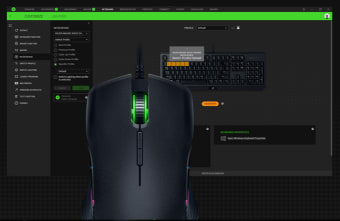
Razer Synapse 3 is Razer’s free unified configuration software for managing their ecosystem of gaming peripherals, offering advanced customization and cloud-based profile syncing. Designed for gamers and power users alike, it allows users to remap buttons, tweak performance settings, set macros, and coordinate RGB lighting across multiple Razer devices.
Top Recommended Alternative

Razer Synapse 3 strength lies in the in-depth customization and lighting sync which controls most, if not all of Razer’s current products. This app is simple and easy to configure, getting more out of your gaming peripherals in one utility tool.
Customization, macros, and performance controls
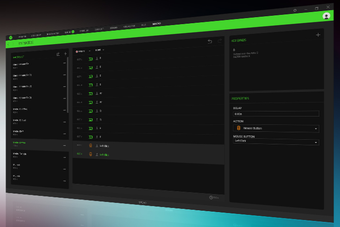
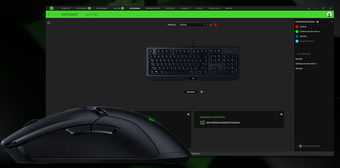
Razer Synapse 3 allows users to customize multiple aspects of their peripherals such as mouse sensitivity (DPI), polling rate, and lighting can all be fine-tuned with ease, and each device has its own dedicated module. The macro recorder is particularly powerful, allowing for complex key sequences and automation useful in both games and productivity tasks. Profile switching can be done manually or linked to specific apps and games, providing a seamless user experience once properly configured.
Razer’s Chroma RGB lighting system is tightly integrated with Synapse 3, allowing for synchronized lighting effects across keyboards, mice, headsets, and even third-party products through Chroma Connect. The visual editor offers dynamic lighting effects that respond to gameplay, system events, or user interaction. This ecosystem feel is one of Razer’s strongest selling points and enhances immersion—especially for users fully invested in Razer’s product lineup.
Interface, reliability, and compatibility
Razer Synapse 3’s updates have focused on improving stability, expanding device compatibility, and refining performance. Updates have introduced support for newer Razer peripherals, ensuring seamless integration with recently released keyboards, mice, and accessories. Performance improvements reduce memory usage and improve startup times, making the software more responsive during use. Bug fixes address issues related to device detection, profile syncing, and macro execution delays. Updates also refine Chroma Studio, improving lighting synchronization and adding more preset effects.
Furthermore, Razer Synapse 3 has improved the privacy front by allowing users to use the app without creating an account. You can now log in anonymously and use the program to configure your hardware products. You can simply click the login button to get into the application without a fuss. You don’t need to give up any of your personal details or go through the hassle of setting up an account.
A must-have tool for Razer users
Razer Synapse 3 delivers powerful customization for gamers, streamlining performance tweaks, lighting controls, and macro management in one unified platform. Its Chroma integration and profile flexibility offer impressive depth, particularly for those heavily invested in Razer gear. While the software can be resource-intensive and lacks full legacy support, it remains an essential utility for maximizing your Razer hardware's potential without sacrificing user privacy.